
AI Comic Generator
Turn your ideas into full comic books with AI. Create original characters, choose from 8 art styles, and generate complete comics with consistent characters in minutes.
AI-powered comic creation
In one paragraph
An AI comic generator is software that writes a sequential story, draws every panel with a consistent character across pages, and lays out speech bubbles automatically — from a single prompt. It is different from Midjourney (single high-quality images, you assemble the comic), different from Canva or Pixton (great layout, but assets not AI-generated for your story), and different from a general image generator: the whole pipeline runs end-to-end. COMICPAD is one of the tools in this category; we ranked it #2 of 10 in our own honest benchmark, behind Dashtoon. See the full comparison.
What's New for AI Comic Generators in 2026
Eight shifts since this guide was first published in March — verified on June 17, 2026. Most listicles ranking these tools have not updated to reflect them.
- → Midjourney V8.1 became the default model on June 11, 2026. Sharper photoreal output, stronger prompt adherence, and improved
--cref/--owcharacter-reference behavior over V7. Pricing unchanged: Basic $10, Standard $30, Pro $60, Mega $120 monthly. - → Niji 7 launched January 9, 2026 via the Spellbrush collaboration — Midjourney's dedicated anime/manga branch with its own character-reference workflow. Not aligned to V8 as of June 2026, so anime and photoreal pages mean switching models.
- → Dashtoon (Dashverse) raised a $13M Series A from Peak XV in August 2025. The funding is behind the publishing-platform buildout and the custom-model training pipeline that gives Dashtoon the strongest character consistency in our benchmark.
- → COMICPAD shipped Regenerate Page and Extend Comic in Q2 2026, and added a Custom tier supporting 21–400 page comics in a single generation with a 20,000-character story prompt. Disclosure: COMICPAD is the publisher of this page; our own benchmark ranks us #2 of 10, behind Dashtoon — full methodology in the Best AI Comic Generators 2026 review.
- → AI Comic Factory's open-source GitHub repository was archived on October 31, 2025. The hosted site (aicomicfactory.com) continues to operate, but community pull requests are no longer accepted. Worth knowing before you build a workflow on it.
- → WEBTOON unified its international CANVAS program on March 26, 2026, with AI-assisted translation in seven languages and expanded ad revenue + Patron program access for creators.
- → South Korea's AI Basic Act took effect January 22, 2026. Generative AI content distributed commercially in Korea must be disclosed, with a one-year grace period on penalties.
- → Disney + Universal v. Midjourney (2:25-cv-05275, C.D. Cal., filed June 11, 2025) is in active discovery as of June 2026 — no ruling on the merits, anime IP not named in the complaint. Practical takeaway for creators: prompt original characters, not named IP, regardless of which generator you use.
- → U.S. Copyright Office Part 2 report (January 29, 2025) confirmed that purely prompt-driven AI output is not eligible for copyright registration. Meaningful human authorship — selection, arrangement, edits, dialogue — can establish protection. This is the single most important thing for any creator selling AI comics commercially to understand.
What Is an AI Comic Generator?
An AI comic generator is software that creates a complete, sequential comic book — story, artwork, dialogue, and layout — from a short prompt. You describe what you want (“A detective discovers her own face on a missing person poster”), and the AI writes a plotted narrative, generates consistent character artwork, places speech bubbles, and delivers finished pages in minutes.
This is different from general-purpose AI image tools like Midjourney or DALL-E, which generate single images from prompts but can't maintain a character across multiple panels or build a coherent story. It's also different from template-based tools like Pixton or Canva, which give you pre-drawn assets to assemble manually — an AI comic generator writes the story and draws the art automatically.
COMICPAD is built specifically for this workflow: upload a photo or describe your character, pick an art style, type your story idea, and get a full comic back. The three hard problems — narrative coherence, character consistency, and panel layout — are handled automatically so you can focus on the story.
Story generation
The AI reads your prompt, writes a plotted narrative, and breaks it into pages with dialogue, narration, and panel descriptions.
Character consistency
Your characters — from photos or descriptions — keep the same faces, outfits, and body types across every panel. This is the hardest part, and what separates comic-specific tools from generic image generators.
Panel layout and typography
Speech bubbles, narration boxes, and panel compositions are placed automatically — not generated as flat images. You get editable comics, not static renders.
How character consistency actually works
Character consistency is the single largest differentiator in this category, and it's where most general-purpose image tools fall down. The principle is simple: when you upload a photo or generate a character, the system creates a reference — an embedding, a LoRA, or a custom-trained model — and conditions every subsequent panel on that reference. The character on page 14 is generated against the same reference as the character on page 1, so the face, hair, body type, and outfit carry across pages without you managing seeds by hand.
Midjourney V8.1 added --cref and --ow for image-level character references, and Niji 7 has its own reference workflow for anime — both are usable, but you still generate one image at a time and assemble the comic yourself. Dedicated comic tools (COMICPAD, Dashtoon, ComicsMaker.ai) bake the reference into the multi-page pipeline. For a deeper technical explanation, see our reference on AI character consistency and the six-stage AI comic pipeline.
Example Comics
From superhero epics to slice-of-life stories — AI generates every panel, page, and speech bubble.
How to Create a Comic Book with AI
From idea to finished comic in under 5 minutes.
Create Your Characters
Describe your characters and AI generates them. Consistent appearance across every page of your comic.
- ✓AI-generated character images from descriptions
- ✓Up to 6 characters per comic
- ✓Hero, Sidekick, Villain, and more roles
Choose an Art Style
Pick from 8 unique styles — each with its own visual identity, color palette, and storytelling tone.
- ✓Superhero, Horror, Sci-Fi, Fantasy
- ✓Noir, Apocalypse, Comedy, Slice of Life
- ✓Each style sets the mood for your entire comic
Write Your Story
Describe your story prompt, set the tone and language. AI breaks it into scenes with dialogue and narration.
- ✓Any genre, any setting, any language
- ✓AI writes the script and dialogue
- ✓Choose from 30+ languages
Generate & Export
AI writes the script, draws every page, and assembles your comic. Export as HD PDF.
- ✓Complete comic in 3-5 minutes
- ✓HD PDF export
- ✓Download and keep forever
8 Unique Art Styles
Every style has its own visual identity, color palette, and storytelling tone.
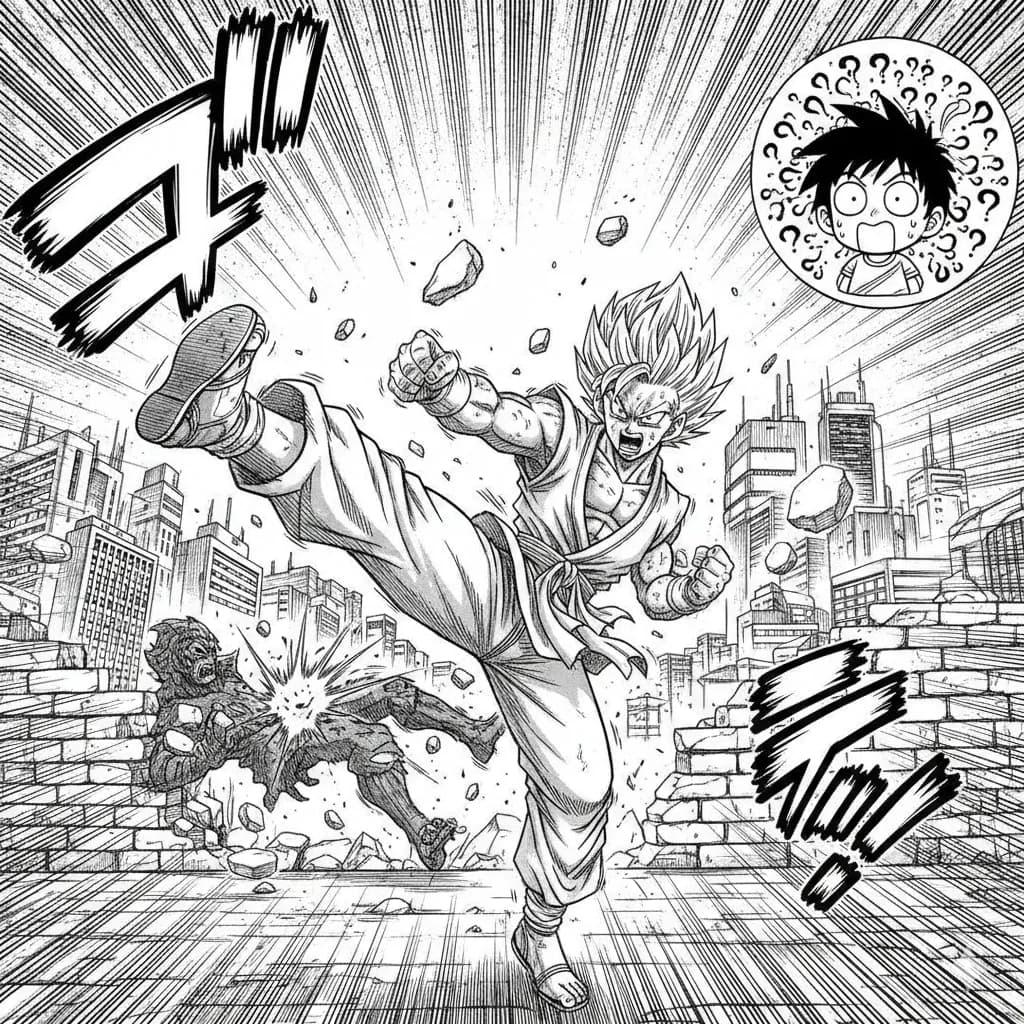
Manga
Classic Japanese manga with screentones and ink work.
Try this style →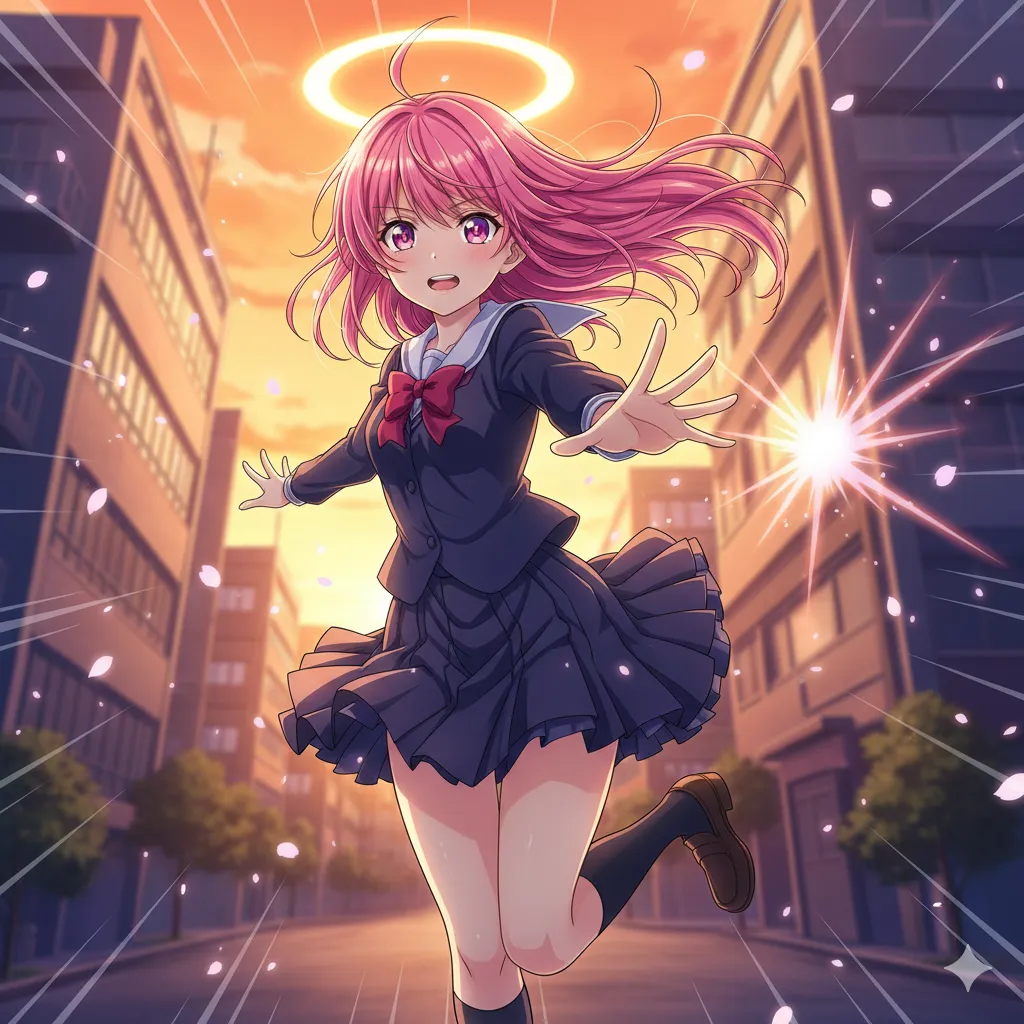
Anime
Vibrant cel-shaded art, expressive eyes, dynamic poses.
Try this style →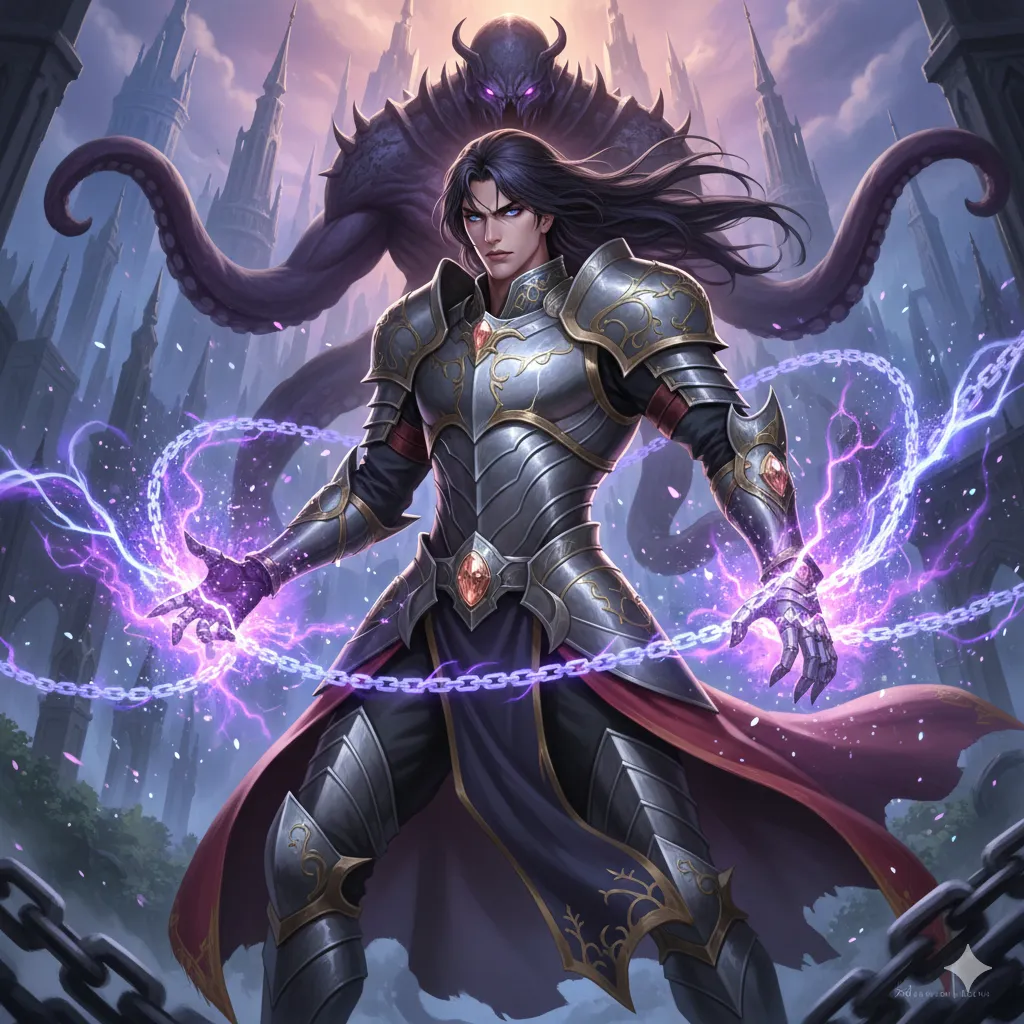
Manhwa
Korean webtoon style, full color, vertical flow.
Try this style →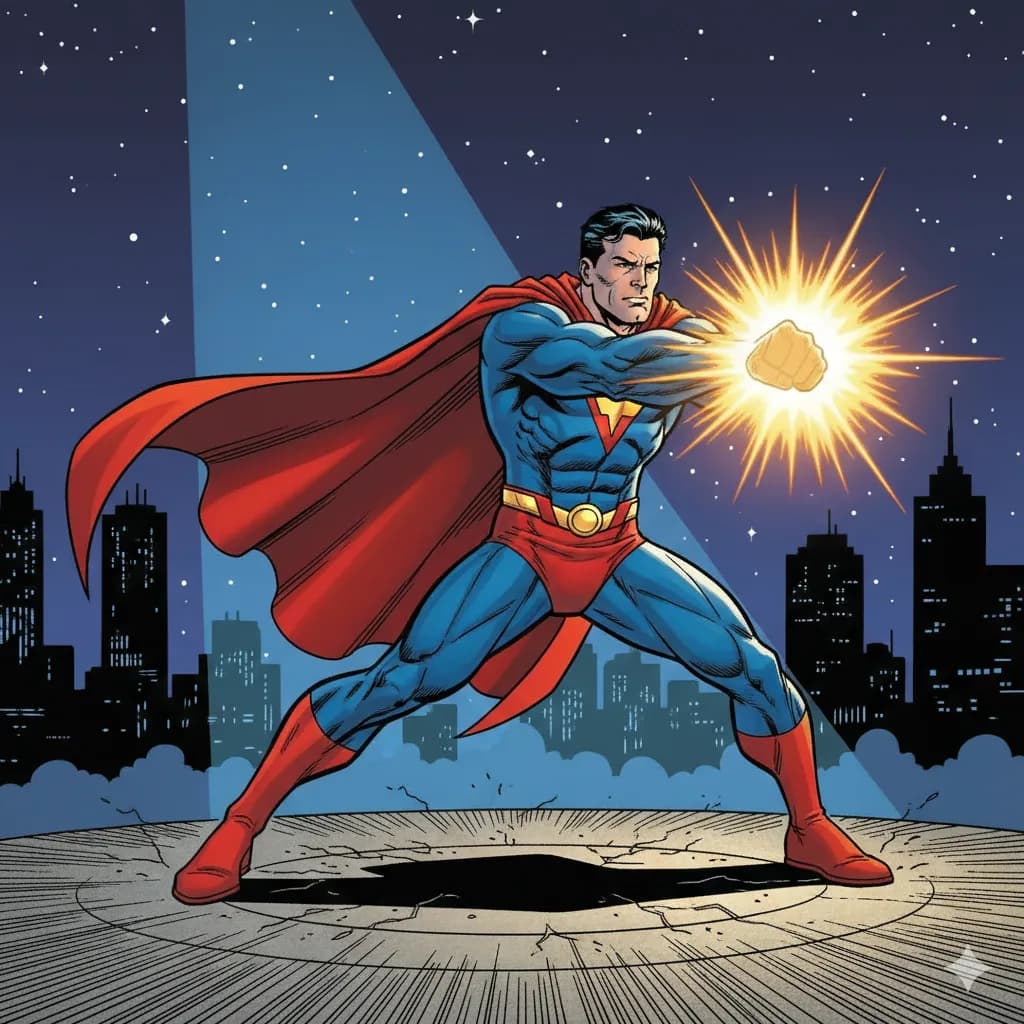
Superhero
Bold lines, vibrant colors, superhero aesthetics.
Try this style →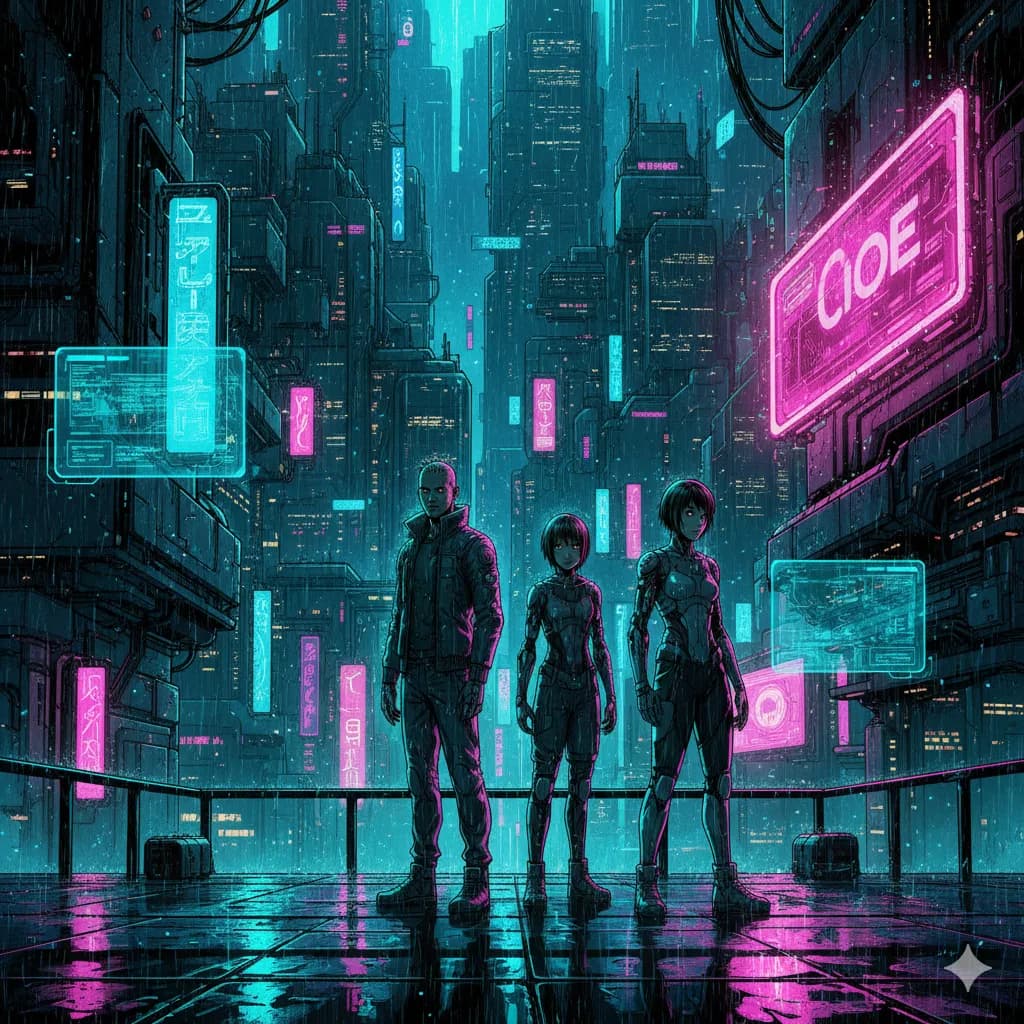
Sci-Fi
Futuristic settings, neon accents, tech-driven world.
Try this style →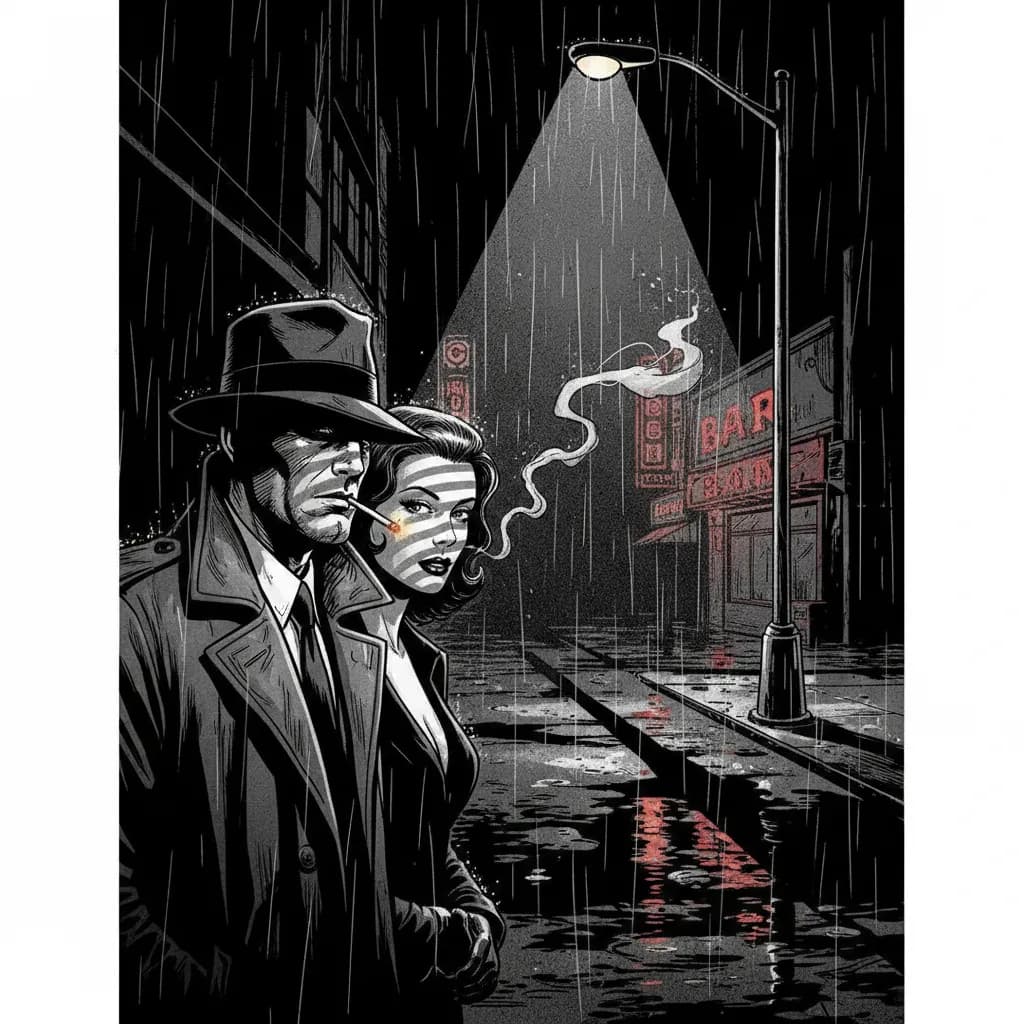
Noir
High contrast, dark moody tones, detective atmosphere.
Try this style →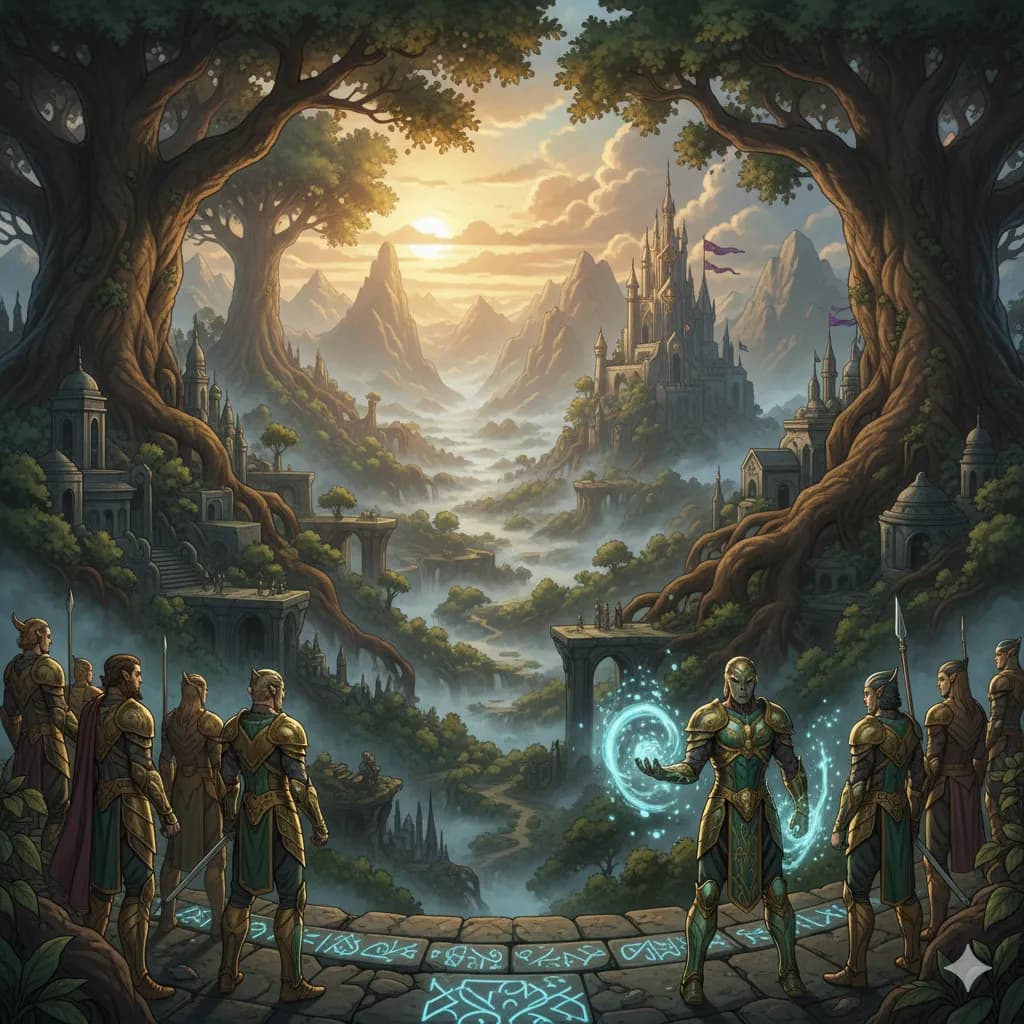
Fantasy
Epic landscapes, magical creatures, enchanted realms.
Try this style →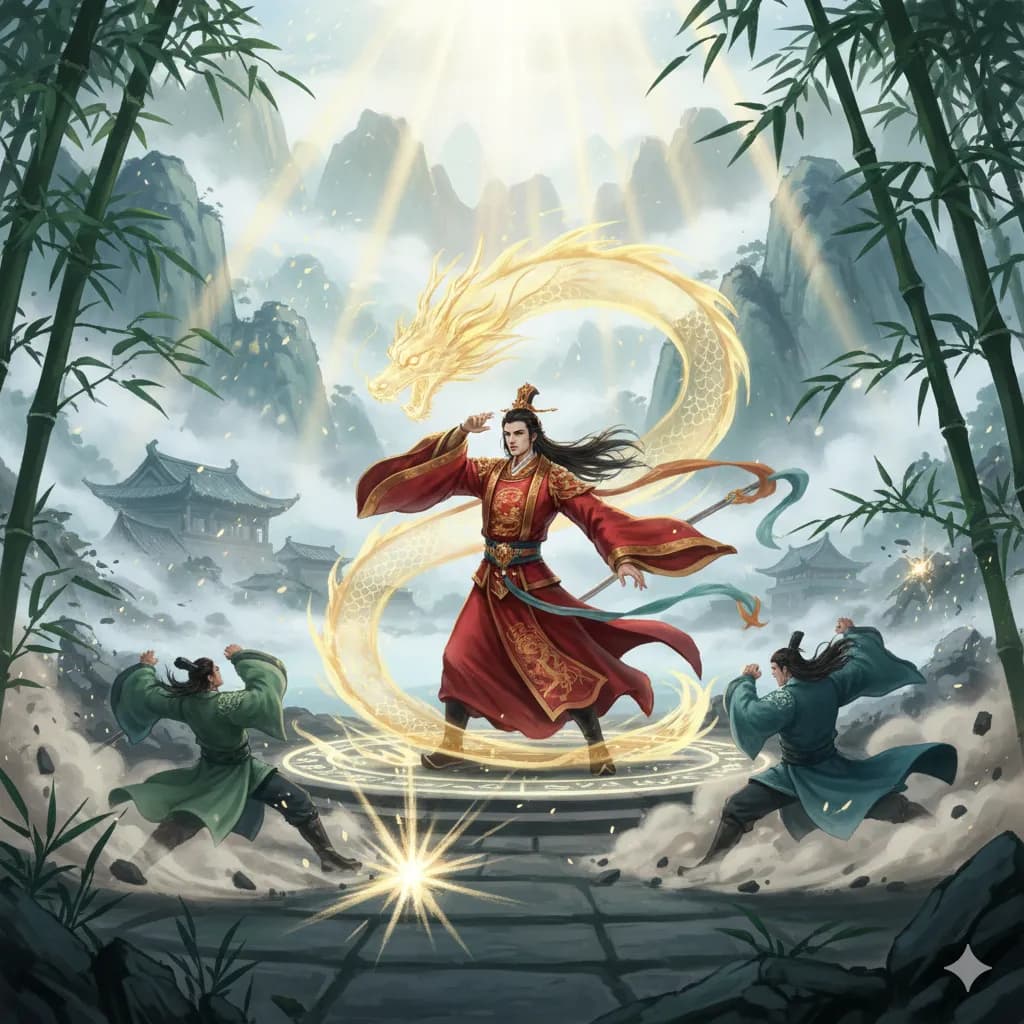
Manhua
Chinese comic style, rich colors, martial arts themes.
Try this style →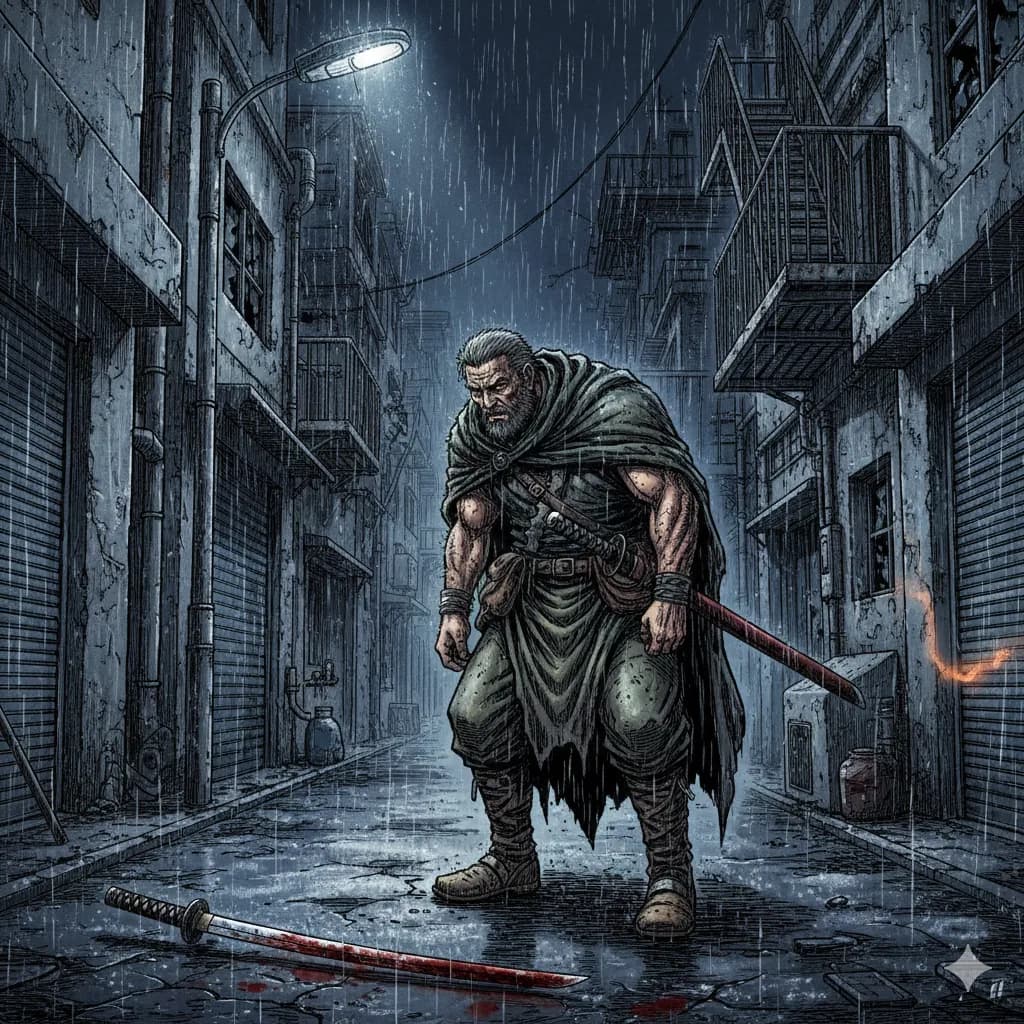
Seinen
Mature manga, detailed art, complex narratives.
Try this style →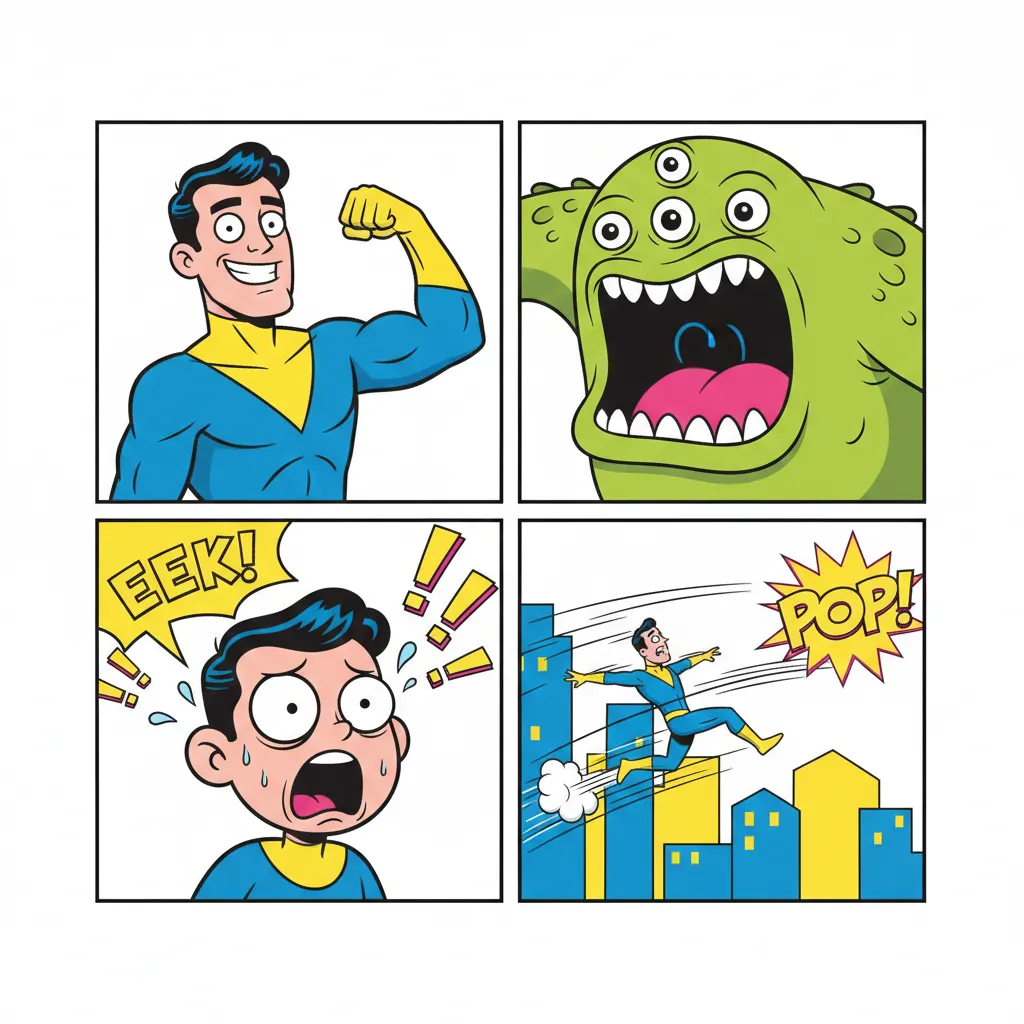
Comedy
Fun & expressive, bright colors, exaggerated features.
Try this style →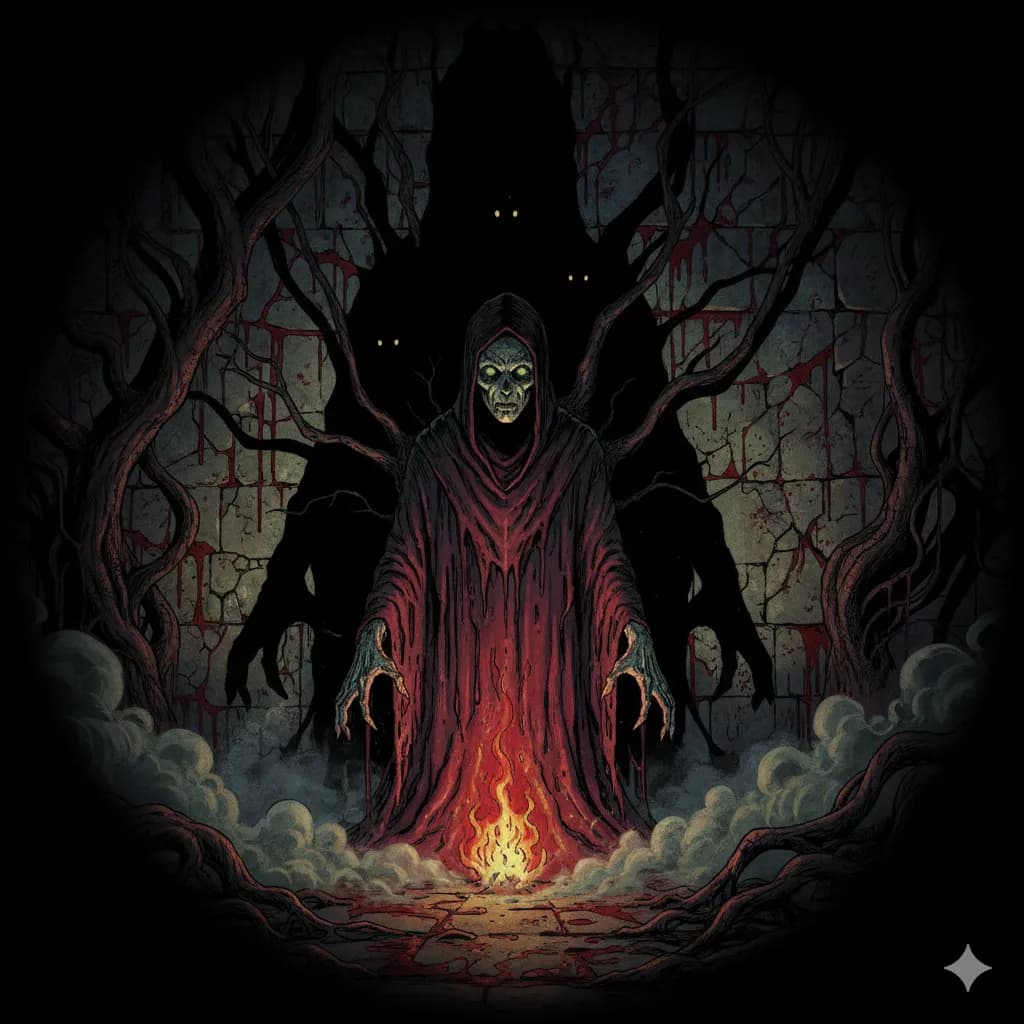
Horror
Dark shadows, eerie tones, spine-chilling imagery.
Try this style →Who Uses an AI Comic Generator
Eight groups of people we see using COMICPAD regularly — and what they make.
Personal gifts
Birthdays, weddings, anniversaries. Turn photos of friends and family into a custom comic starring them — a memorable gift that costs minutes, not months.
Hobbyist writers
You have story ideas but can't draw. AI comic generators let you publish visual stories without spending years learning to illustrate.
Teachers and educators
Custom reading materials for specific lessons. Comics increase engagement and retention for visual learners at every grade level.
Marketers
Brand stories, product explainers, and social campaigns in comic form. Scroll-stopping content that tells a story instead of shouting a slogan.
Language learners
Generate comics in your target language at your level. Visual context accelerates vocabulary acquisition — and you pick the topic.
Social content creators
Serialized comics for TikTok, Instagram, and Reddit. Consistent characters and quick turnaround for creators who publish weekly or daily.
Product storytellers
Startup onboarding flows, documentation mascots, internal culture comics. Companies use generated comics to make dry content memorable.
Fan artists and hobbyists
Quick concept exploration — test a story idea as a comic before committing to traditional art, or generate fan stories for personal enjoyment.
Why Choose COMICPAD
Character Consistency
Your characters look the same on every page. AI generates each character once and maintains the likeness throughout your entire comic.
Full Book Generation
Not just strips — complete comic books with a cover, up to 20 pages, speech bubbles, and narrative flow.
AI Character Creation
Describe your characters in detail and AI generates them in your chosen art style. Give them names, roles, and personalities for richer storytelling.
One-Click Generation
No drawing skills needed. Write your prompt, click generate. AI handles the layout, art, and dialogue.
HD PDF Export
Download your finished comic as a high-definition PDF. Print it, save it, keep it forever.
30+ Languages
Generate comics in English, Spanish, Japanese, Korean, Turkish, and 30+ more languages.
Free vs Paid: What You Can Actually Do Without a Credit Card
Honest free-tier comparison. “Free AI comic generator” gets 260 searches a month and the SERP is full of tools that bury the catch — here it is in plain English.
| Tool | Free tier | Catch | When paid is the right call |
|---|---|---|---|
| Dashtoon | 100 images/day, no credit card | Free creators publish exclusively on the Dashtoon Reader App | When you want multi-platform distribution (Tapas, WEBTOON, your own site, print) |
| AI Comic Factory | Hosted demo, no account required | Effectively zero stored credits; GitHub repo archived Oct 31, 2025 | When you want FLUX.1 quality, panel persistence, or any production work |
| Canva | Limited Magic Media uses + best-in-class layout tools | Magic Media isn't comic-specific — character consistency across panels is weak | When you want CMYK PDF export and pro speech bubble tooling ($15/mo or $120/yr) |
| COMICPAD | Trial credits — enough to test one short comic | Free tier is trial-only — no recurring credits | When you want full pipeline (story + character + bubbles + 11 styles + 30+ languages) from $6.99/mo Starter |
| Midjourney | No free tier as of June 2026 | Paid only, starts at $10/mo Basic | When you want the highest-quality individual panels (V8.1 / Niji 7) and will assemble pages yourself |
Tier details verified on each vendor's site, June 17, 2026.
COMICPAD vs 5 Other AI Comic Tools
12 features compared across the major AI comic and creative tools, including post-V8.1 Midjourney and Niji 7. Pricing and feature data verified June 17, 2026.
| Feature | COMICPAD | Dashtoon | Midjourney | Canva | Pixton | AI Comic Factory |
|---|---|---|---|---|---|---|
| Custom character uploads (photos) | Yes | Yes | V8 char ref | No | Avatar builder | No |
| Character consistency across pages | Automatic | Automatic (custom training) | --cref / --ow (V8.1) or Niji 7 char refs | Weak | Deterministic (non-AI) | Weak |
| Full comic book generation | Yes (4/10/20 + Custom 21–400) | Yes | No — single images only | Manual assembly | Yes | Yes (short) |
| Automatic speech bubbles | Yes | Yes | No | Manual (best-in-class tools) | Manual | Yes (crude) |
| Art styles | 11 styles | 7+ (manga, manhwa, anime, superhero, noir, cyberpunk, fantasy) | V8.1 photoreal + Niji 7 anime/manga branch | Magic Media + templates | Cartoon avatars only | Several |
| Multi-language story output | 30+ languages | English-first | Prompt-dependent | UI only | Manual | Limited |
| PDF export | Yes (Plus+) | No | No | Yes | Yes | No |
| Commercial use | Yes (paid plans) | Yes (multi-platform = paid arrangement) | Paid tier only | Pro tier | Yes | Paid only |
| Free tier | Trial only | 100 images/day (Dashtoon-exclusive publishing) | No | Limited Magic Media | Limited | Yes (hosted demo) |
| Starting price (paid) | $6.99/mo | Not publicly listed | $10/mo Basic; $30/$60/$120 up the stack | $15/mo or $120/yr (~$12.99/mo annualized) | $6.99/mo | $9.99/mo |
| Active maintenance status | Active | Active ($13M Series A Aug 2025) | Active (V8.1 default June 11, 2026) | Active | Active | Hosted site only — repo archived Oct 31, 2025 |
| Built for sequential art | Yes | Yes | No — assemble in Canva/Photoshop | No (assembly only) | Yes | Yes |
When to pick a specialized tool vs a general-purpose one
If you want a finished comic with minimal effort, pick a comic-specific tool (COMICPAD or Dashtoon). If you want the highest-quality individual panels and don't mind assembling pages yourself, Midjourney V8.1 (or Niji 7 for anime) plus Canva or Photoshop is the right combination. If you need deterministic, no-surprise output for children or classrooms, Pixton's avatar system eliminates AI variance entirely.
Editorial honesty: in our own benchmark we ranked Dashtoon #1 and COMICPAD #2 — see the full 2026 ranking of 10 tools with scores, methodology, and primary-source citations.
Pricing and Credits Explained
COMICPAD uses credits so you only pay for what you generate. Here's how the math works.
Free
$0
Trial credits
~1 short comic to test
- ✓All 11 art styles
- ✓Character uploads
- ✓Multi-language output
- ✓No credit card required
Starter
$6.99/mo
2,000 credits/month
1 long or 1 medium + 1 short
- ✓All 11 styles
- ✓Premium access
- ✓Commercial use
- ✓Character consistency
Most popular
Plus
$19.99/mo
6,000 credits/month
3 long or 5 medium or 8 short
- ✓Everything in Starter
- ✓PDF export
- ✓Priority generation
- ✓Premium support
Pro
$54.99/mo
20,000 credits/month
10 long or 16 medium or 27 short
- ✓Everything in Plus
- ✓Early access features
- ✓Best value per comic
- ✓For studios and power users
Credit cost per comic length
| Comic length | Pages | Credits | Best for |
|---|---|---|---|
| Short (Kurz) | 4 pages | 720 credits | Testing styles, social posts, quick gifts |
| Medium | 10 pages | 1,200 credits | Most stories — the default choice |
| Long | 20 pages | 2,000 credits | Full narrative arcs, gift books, publishable works |
Individual character AI generations cost 200 credits each (optional — you can upload photos instead for free). See the full pricing page for complete details.
What AI Comic Generation Works Well For (and What It Doesn't)
Honest fit. We've cut the marketing-style use-case grid because the category has real edges and you should know them before you commit time or money.
Works well for
Short personal gifts
4–10 page birthday, wedding, or anniversary comics starring real people from photo uploads. Character consistency is solved at this length and the iteration cost is low.
Marketing and product explainers
Onboarding flows, API stories, internal culture comics. Comic format compresses dry content into memorable scenes — and you can ship a draft same-day.
Language-learning materials
Generate comics in your target language at your level. Visual context accelerates vocabulary, and you control the topic — useful for teachers and self-learners.
Story prototyping before traditional art
Writers test pacing, panel rhythm, and tone in AI form before committing weeks to manual illustration. Many artists keep AI in the concept loop.
Long-form on the Custom tier
21–400 page comics in a single Custom-tier job. Useful for full books, gift volumes, and serial arcs that would otherwise require stitching multiple jobs.
Doesn't work as well for
Named intellectual property
Generating recognizable Marvel, Disney, Pokémon, or other named-IP characters is a legal risk regardless of which tool you use. Disney + Universal v. Midjourney (filed June 2025) tracks exactly this. Prompt original characters.
Strict photo-realistic likeness
The face that comes back is close, but stylized. If you need a portrait-grade likeness, finish in Photoshop or commission a portrait.
Hand-drawn artist style mimicry
If you want a comic that reads as if a specific named artist drew it, AI generation isn't the right approach — and copying a living artist's style is also an ethical line worth not crossing.
Comics with heavy text-on-page typography
Speech bubble placement is automatic and works well for normal dialogue density. If you write dense, text-heavy pages (long monologue, dense narration boxes), expect to finish lettering in Canva or Clip Studio.
Frequently Asked Questions
What is an AI comic generator?
How does COMICPAD's AI comic generator work?
How does pricing work?
How do I create characters?
What art styles are available?
How long does it take to generate a comic?
Can I export my comic as a PDF?
What languages are supported?
Can I Use AI-Generated Comics Legally?
Short answer: yes, with two important caveats and three jurisdictional notes worth knowing. This section is informational and not legal advice — if you're publishing at scale, consult a lawyer in your jurisdiction.
Commercial usage rights
COMICPAD, Dashtoon, ComicsMaker.ai, Midjourney (paid plans), Canva (Pro), and Pixton all grant commercial usage rights to comics you generate. You can sell prints, publish on Kindle Direct, run them as marketing, or use them on your site. Check each vendor's current terms — they don't change often, but they can.
U.S. copyright registration
The U.S. Copyright Office's January 29, 2025 Part 2 report held that purely prompt-driven AI output is not eligible for copyright registration. Meaningful human authorship — selection, arrangement, dialogue you wrote, edits you made — can establish copyright in the human-authored elements. Practical translation: the more you direct, edit, and arrange, the more of your comic is protectable. Pure one-prompt outputs are not.
Named intellectual property
Disney + Universal v. Midjourney (case 2:25-cv-05275, C.D. Cal., filed June 11, 2025) is in active discovery as of June 2026 — there is no ruling on the merits and anime intellectual property is not named in the complaint. The practical takeaway is independent of how the case resolves: prompt original characters rather than named IP (Marvel, Disney, Pokémon, etc.). The risk surface is the prompt, not the tool category.
Disclosure rules by region
- South Korea: the AI Basic Act took effect January 22, 2026 — generative AI content distributed commercially in Korea must be disclosed, with a one-year grace period on penalties.
- European Union: the AI Act's transparency obligations for generative outputs phase in through 2026–2027. They apply primarily to platforms, but shape what your hosting platform will ask of you.
- United States: no federal disclosure requirement as of June 2026, but the USCO position (above) constrains what is registrable.
Publishing on WEBTOON
WEBTOON unified its international CANVAS program on March 26, 2026 with AI-assisted translation across seven languages and expanded ad-revenue and Patron-program access for creators. Independent creators can publish AI-generated work; follow WEBTOON's current creator-program guidelines for any disclosure or labeling rules that apply to monetized series.
More Questions About AI Comic Generation
Can I use AI-generated comics commercially?↓
Yes on any paid plan (Starter, Plus, or Pro). COMICPAD grants commercial usage rights — sell prints, publish on Kindle Direct or your own site, use them in marketing. The honest caveat is on copyright registration: the U.S. Copyright Office's January 2025 guidance holds that purely AI-generated output is not eligible for registration without meaningful human authorship. Selection, arrangement, dialogue, and edits you make can establish that authorship. If you're publishing for revenue, treat the AI as the pencil — not the author of record.
How does the AI keep my character looking the same across pages?↓
When you upload a photo or generate a character, the system creates a reference embedding that conditions every panel. This is the part general-purpose image generators handle poorly — Midjourney V8.1 added --cref and --ow for image-level consistency and Niji 7 (January 2026) has its own character references, but you still assemble the comic yourself. Dedicated tools like COMICPAD, Dashtoon, and ComicsMaker.ai bake the reference into the pipeline so the character carries across pages without manual seed work.
Is there a truly free AI comic generator (no credit card)?↓
Three honest options. (1) Dashtoon's free tier — 100 images per day, no credit card — but free creators must publish exclusively on Dashtoon's reader app; multi-platform distribution requires a paid arrangement. (2) AI Comic Factory's hosted site — try without an account, very limited credits (its open-source GitHub repo was archived October 31, 2025, but the hosted service still runs). (3) Canva's free tier — Magic Media gives you limited AI generations per month plus the best speech bubble and assembly tools. COMICPAD's free tier is trial-only — recurring credits require a paid plan.
What do I do if the generated comic isn't quite right?↓
Three options. (1) Edit your story prompt and regenerate — small prompt changes often fix big problems. (2) Use Regenerate Page to redo a single page in reroll or instruction-based edit modes — the original is kept in version history (up to 3 prior renders, one-click revert). (3) Use PDF export (Plus+) and do final polish in Photoshop, Affinity, or Canva. Most users get satisfying results in 1–2 iterations for short comics and 2–3 for longer ones.
What's the maximum comic length?↓
Standard plans go up to 20 pages in one job. The Custom tier extends that to 21–400 pages in a single generation, with a 20,000-character story prompt for per-page scripting and a planning phase before render. A 400-page comic takes roughly 30–45 minutes (~75 seconds per 20-page chunk). Extend Comic also adds 4 pages to a finished story with optional direction — the original is preserved and you navigate to a new longer version.
How long does generation take?↓
Short (4 pages): ~2–3 minutes. Medium (10 pages): ~4–6 minutes. Long (20 pages): ~8–12 minutes. Custom 100 pages: ~10–15 minutes. Custom 400 pages: ~30–45 minutes. You can close the tab — the comic finishes on our servers and lands in your gallery.
Can I publish AI-generated comics on WEBTOON or Tapas?↓
Yes. WEBTOON consolidated CANVAS internationally on March 26, 2026, with AI-assisted translation and expanded monetization for creators, and Tapas has long accepted independent creators. Two practical notes: if you plan to distribute commercially in South Korea, the AI Basic Act (effective January 22, 2026) requires AI-content disclosure — plan to label. And regardless of platform, prompt original characters rather than named IP; the Disney/Universal v. Midjourney suit (2:25-cv-05275, in active discovery as of June 2026) tracks reproduction of named characters, not the underlying tool category.
Does AI comic generation work without a photo of my character?↓
Yes. Describe your character in text ("a tall woman with red hair, mid-30s, leather jacket") and the AI generates a consistent character from the description. Photo upload gives more precise likeness; text description gives more creative freedom. Both produce consistent results across pages — the reference you choose is what the per-panel generation conditions on.
Related Reading and Tools
Best AI Comic Generators 2026
10 tools ranked with scores, methodology, and primary-source citations — refreshed June 2026.
AI Character Consistency
Why characters drift across panels in some tools, and how the leaders solve it.
How AI Comic Generation Works
Technical reference: story → character encoding → diffusion → panels → bubbles → typography.
2026 Capability Map
Solved, partial, and unsolved across 29 dimensions — what AI comic tools can actually do.
Text to Comic Generator
Turn any story idea into a full comic book.
Free Comic Maker
Honest comparison of free options across the category.
Midjourney for Comics
What V8.1 and Niji 7 are good for in a comic workflow, and what they aren't.
AI Manga Generator (2026)
Niji 7, NovelAI V4.5, Animagine XL 4.0 Opt — model picker, sub-style fit, where you can publish.
Photo to Comic Converter (2026)
Filter or character? Honest disambiguation and what's safe to prompt.
Personalized Comics Buyer's Guide
Three-path comparison — artist commission ($25–$4,000), AI tool, DIY platform — by occasion.
Create a Comic Book Online
Book-length AI workflow, anatomy reference, 6-tool comparison, copyright and named-IP.
Free AI Comic Generator (trial honestly)
What COMICPAD's trial covers, accurate pricing and coins, and how it compares to permanent-free tools.
Comic Book Templates
Pre-built layouts for strip, page, cover, and splash formats.
Bulk Comic Generator
Generate multiple comics in one workflow — for serial creators and educators.
Manga Panel Layout Generator
Auto-layout panels with the irregular flow of manga rather than uniform grids.
COMICPAD Editorial Team
Last reviewed: June 17, 2026.
COMICPAD is one of the tools in the AI comic generator category. We rank ourselves #2 of 10 in our own benchmark — behind Dashtoon — and link to the methodology so you can check our work. Pricing, features, and industry claims on this page are verified against primary sources on the review date and cited below.
For language-specific evaluations, see our guides for German, Spanish, French, Japanese, and Korean comic generation.
Vendor sources: Pricing and feature data verified on each vendor's site on June 17, 2026. Dashtoon (dashtoon.com), COMICPAD (comicpad.app), Midjourney (midjourney.com), Canva (canva.com), AI Comic Factory (aicomicfactory.com), Pixton (pixton.com), ComicsMaker.ai (comicsmaker.ai).
Primary citations: Midjourney V8.1 release notes (updates.midjourney.com, June 11, 2026); Niji 7 announcement (Midjourney/Spellbrush, January 9, 2026); Dashverse $13M Series A led by Peak XV (August 12, 2025); AI Comic Factory GitHub archive notice (jbilcke-hf/ai-comic-factory, October 31, 2025); WEBTOON unified international CANVAS announcement (PR Newswire / WEBTOON IR, March 26, 2026); South Korea AI Basic Act, effective January 22, 2026; Disney + Universal v. Midjourney, 2:25-cv-05275 (C.D. Cal., filed June 11, 2025, in discovery as of June 2026); U.S. Copyright Office, “Copyright and Artificial Intelligence, Part 2: Copyrightability” (January 29, 2025).
Ready to create your first AI comic?
No drawing skills needed. Your first comic is just minutes away.
Start CreatingMultiple plans available • HD PDF export